NavvTrack Fleet Management User Guide - Web & Mobile App
Fleet Reports
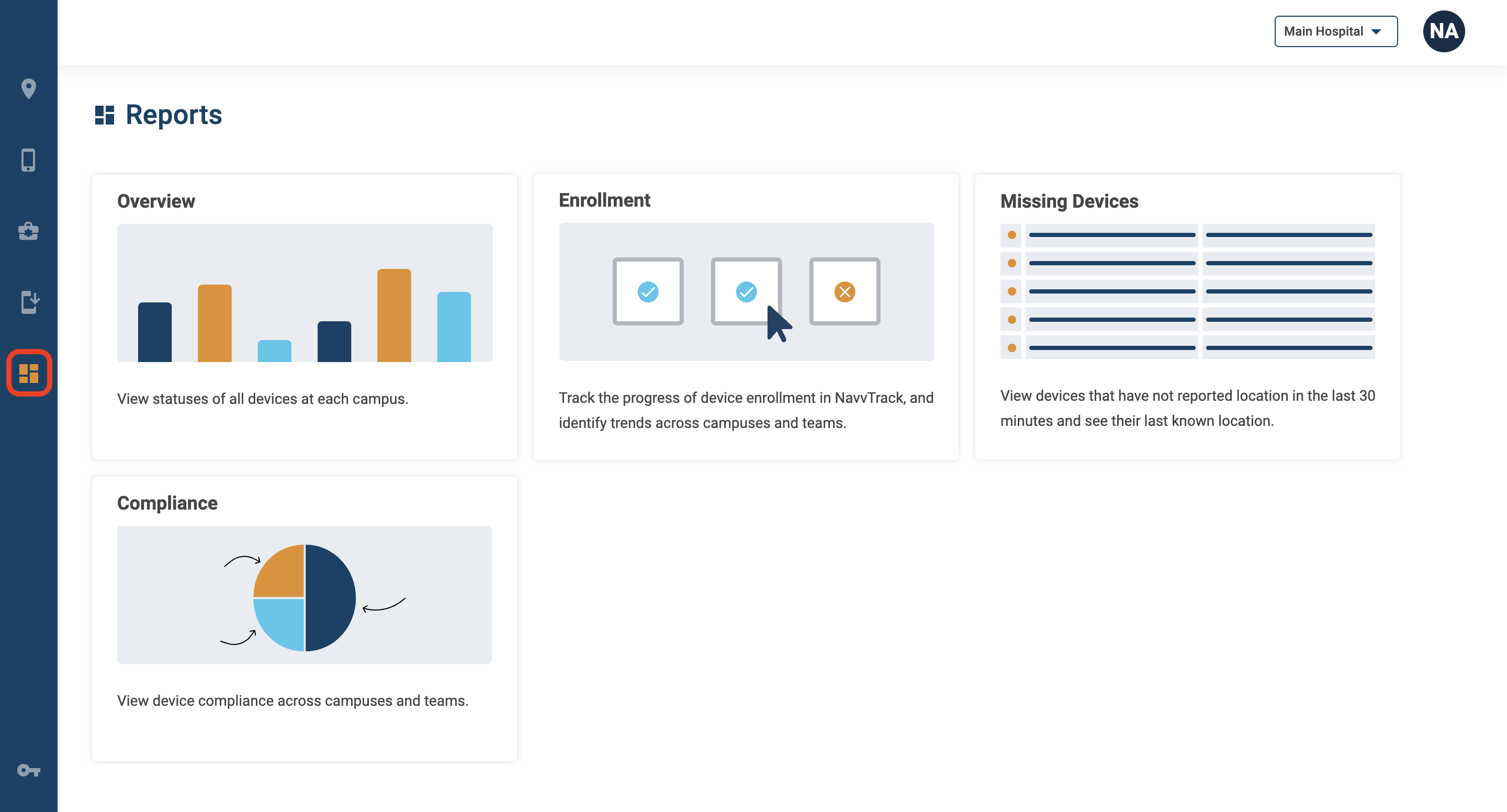
To view the Fleet Reports page, click on the dashboard icon in the left navigation.
Overview Report
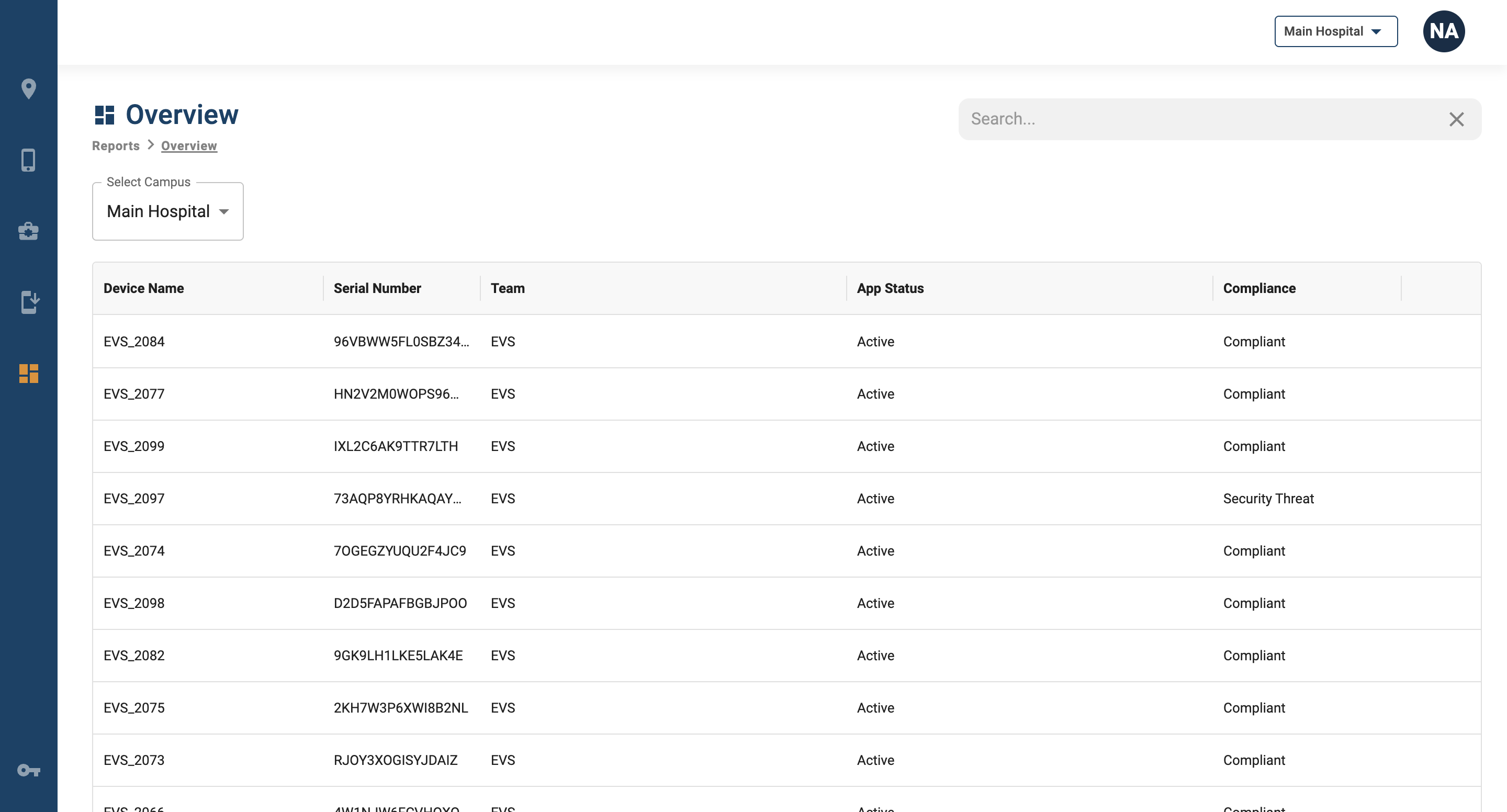
The Overview Report displays all of the devices that are currently visible within NavvTrack in one table, allowing for searching and sorting on criteria such as device name and team. This includes devices that have not yet been set up using the Navv mobile application. If a device is missing team information in the Overview Report, it means that it has not yet been enrolled in NavvTrack.
Enrollment Report
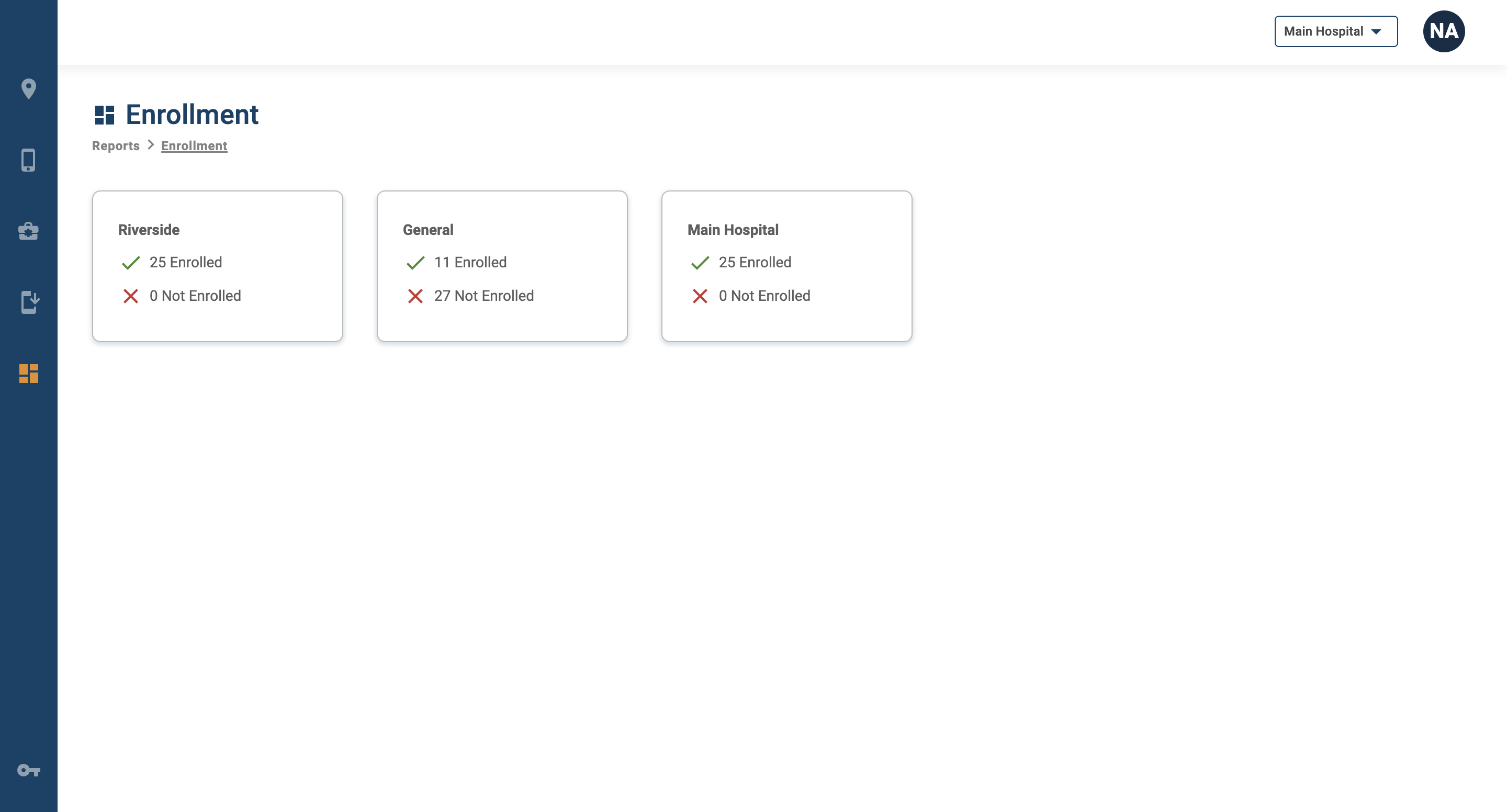
The Enrollment Report provides campus and team-level visibility into which devices have and have not been properly set up within NavvTrack. Devices will appear in this report once they have been associated with a NavvTrack team. "Enrolled" devices are ones that have been properly provisioned and configured, and "Not Enrolled" devices have not yet been configured using the Navv mobile application.
Missing Devices
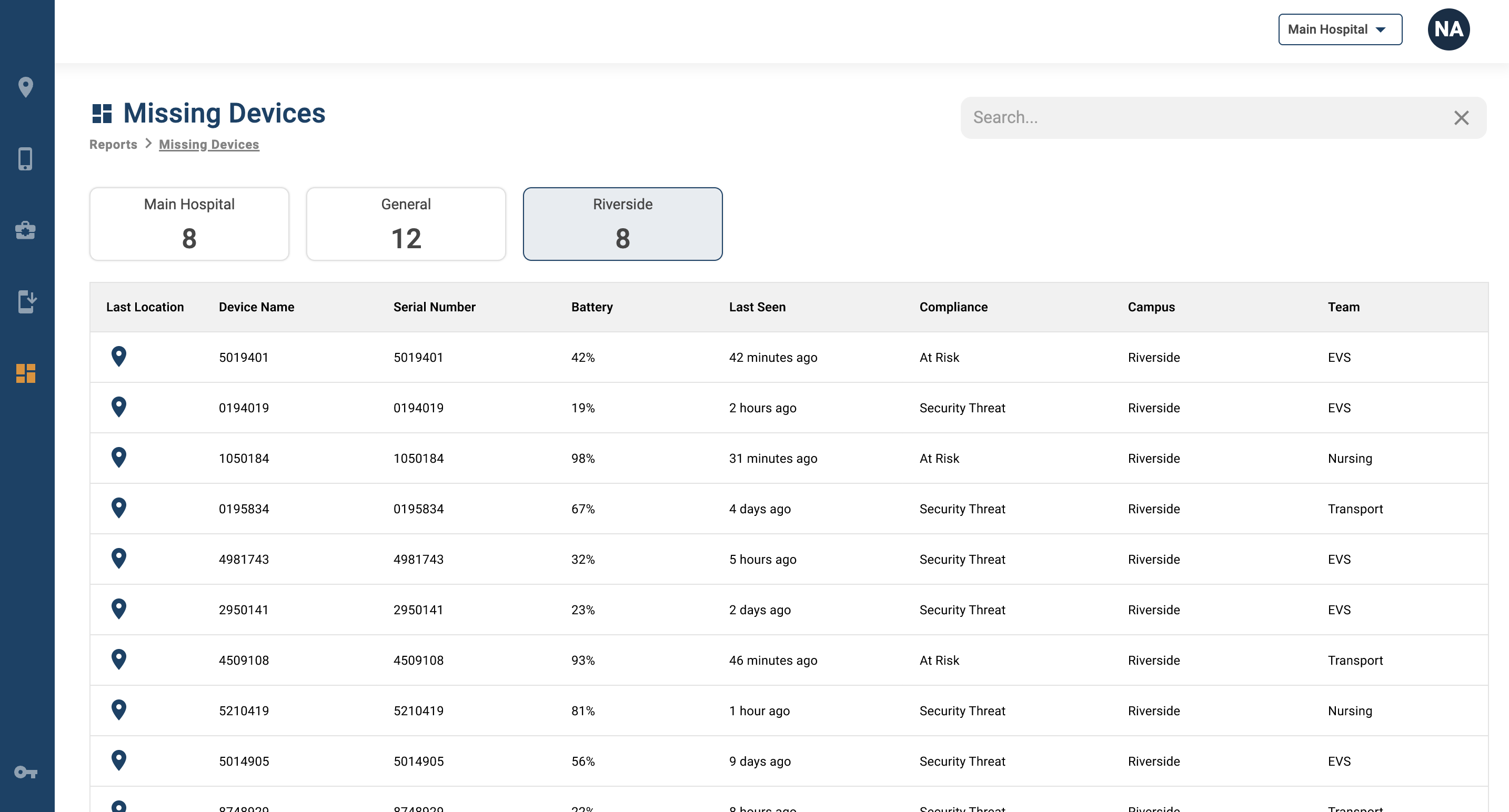
The Missing Devices Report provides information on devices that have not streamed their location in more than 30 minutes. Cards at the top specify how many devices are classified as missing in each campus, and these cards can be used to filter the table and view specific missing devices.
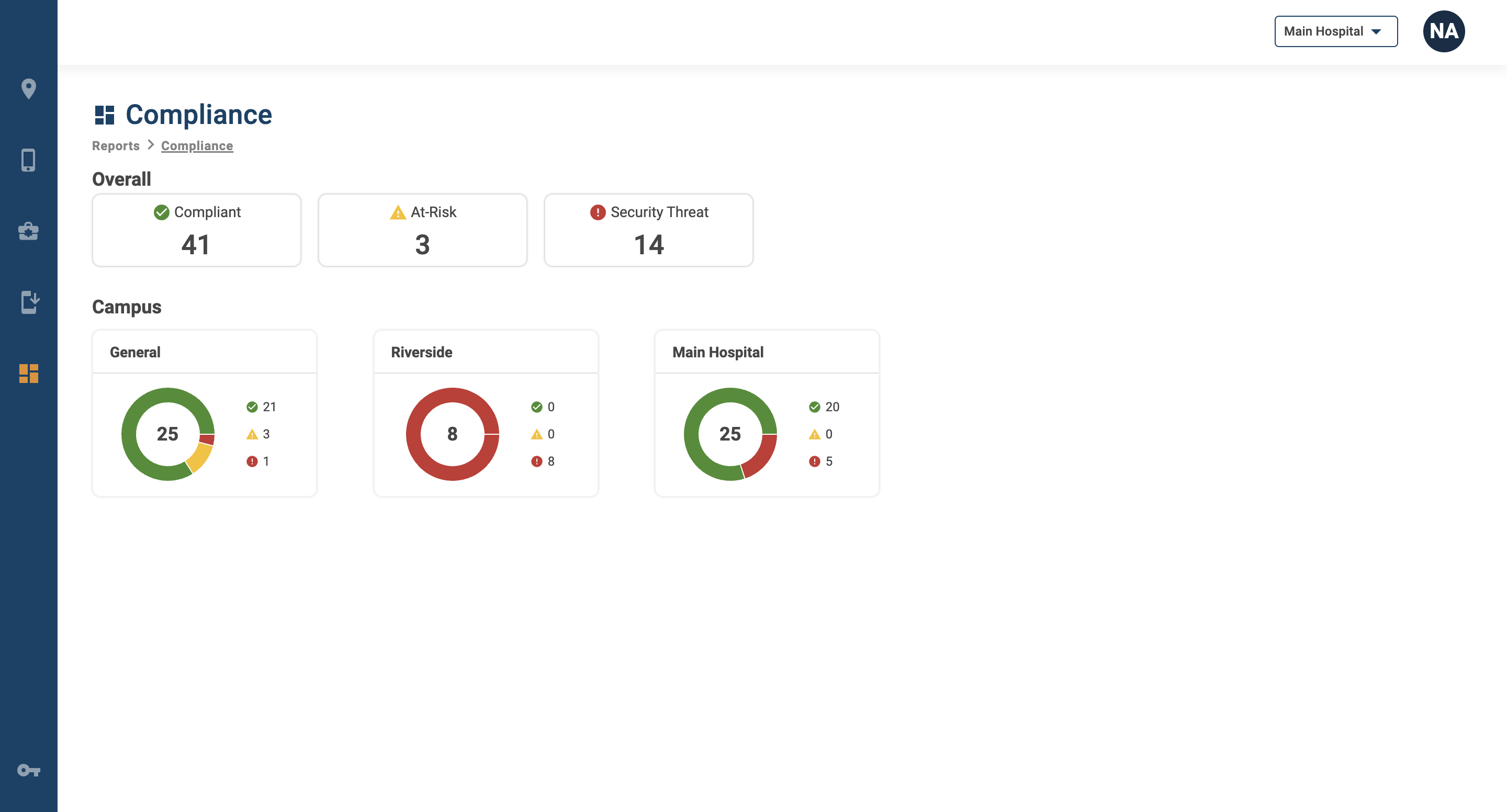
Compliance
The Compliance Report provides details about device compliance across the organization, campus, and team levels. To view more information about devices at a specific campus and on a team level, click on the card for that campus.